 home.
home.
Use text instead of images for important content
Try to use text instead of images to display important names, content, or links. If you must use images for textual content, consider using the "ALT" attribute to include a few words of descriptive text
Text links are better understood than image links
Text is well understood by search engines, images are not. If you use images for important links on your page, they might not be understood or recognized as well as text is. One example is if your website menu has images they say "home" instead of text that says "home". In that case you would need to make sure that the image has an ALT tag that says "home".
Example of a website not following this guideline
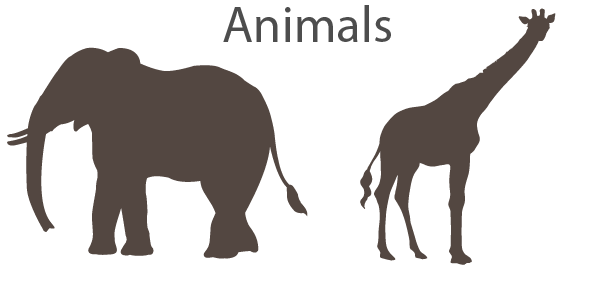
Imagine if a website about animals had a home page that only had two pictures on it and nothing else (no text). One picture of an elephant and one picture of a giraffe, linking to a page about each animal.
This might seem like a clever and pleasant way to choose which animal you want to read about, but it would not be following this guideline.
Example of a website that is following this guideline
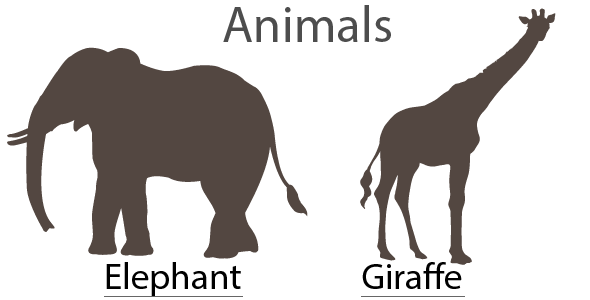
To correct that you could have a text link under each picture that said "elephant" and "giraffe".
One important reason for having text links in addition to images is so that your webpage is accessible to those who are blind and are unable to use graphical links. Another important reason is that Googlebot cannot "see" what a picture is. Look over your website and make sure that if you are using images as links, that they also have a text link as described above.
This guideline does not suggest images should not be used, it suggests that text be used to convey important names, content, and links. Notice I have used images in this description, yet this page is following the guideline.

Premium WordPress hosting

A very common example of not following this guideline is...
Often for design reasons your website or menu has images in it. Even though it has a words on it it is still an image. A easy way to determine if a word on your webpage is an image or text is to see if you can highlight the text.
If you hold down your left mouse button while moving your mouse across a word you will see the text highlighted, letter by letter. Any text contained in such images is unreadable to those who are blind and search engine crawlers. If search engine crawlers can not read it, search engines will not know that it is there.
The more accessible your website is to the sight impaired, the more accessible your site is to search engine crawlers.
There is a way to "tell" both blind users and search engine crawlers what an image is, that method is using ALT tags which is covered in detail on another guideline page - Make sure that your TITLE and ALT tags are descriptive and accurate
Common examples of not using text for something important
- If your address is displayed in an image, you should definitely also have it in text as well. Your address is a very important factor for users and search engines. If you have an address then make use of it. Do not use an image to display your address. If you do, then also use text to display it. Your physical location is very important.
- If the name of your business is in an image conveying your logo then it is possible that you aren't even telling search engines the name of your business. Check your pages and make sure that the name of your business appears in text in addition to your logo.
Key Concepts
- Anything important to identifying your website or services should be available in text.
- Any image should have a text alternative where appropriate.
- The more accessible your website is to the sight impaired, the better it will be understood by search engine crawlers.
How to determine if your website is following this guideline
The best possible way to follow this guideline is to ensure that all that all navigational components of your website use text, not images. This means that the link to your home page is a text link that says "home", not an image with a house on it.
If you have image based navigation then you must have accurate ALT tags, in fact every image on your website needs to have an accurate ALT tag. You can check the ALT tags of your webpage with the image ALT tool which will examine a webpage and find all the images and report on how well the image is following the Google webmaster guidelines.
If you are unsure about what an ALT tag is, you can read the next guideline which describes them more. If every image on your website has an accurate and descriptive ALT tag, then you are most likely following this guideline.
If your website is comprised entirely of text, then you are definitely following it.
 by Patrick Sexton